

SimuDaily
Version 2.0.0 · Windows 11, 64-bit · 110 MB
Draw electrical control circuits, run them live and print them as PDF. One app for design, simulation and learning.
- One-time payment
- No subscription
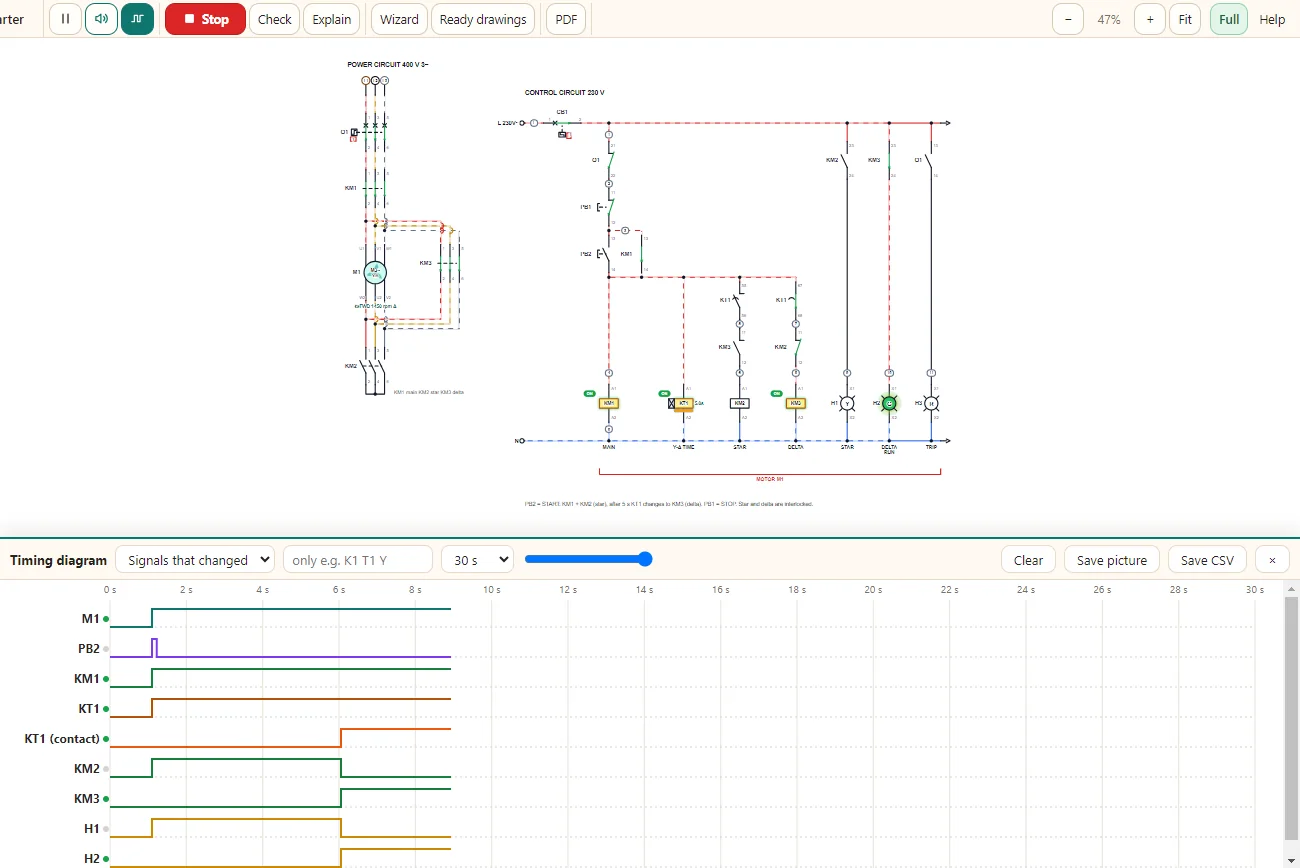
See what you can do
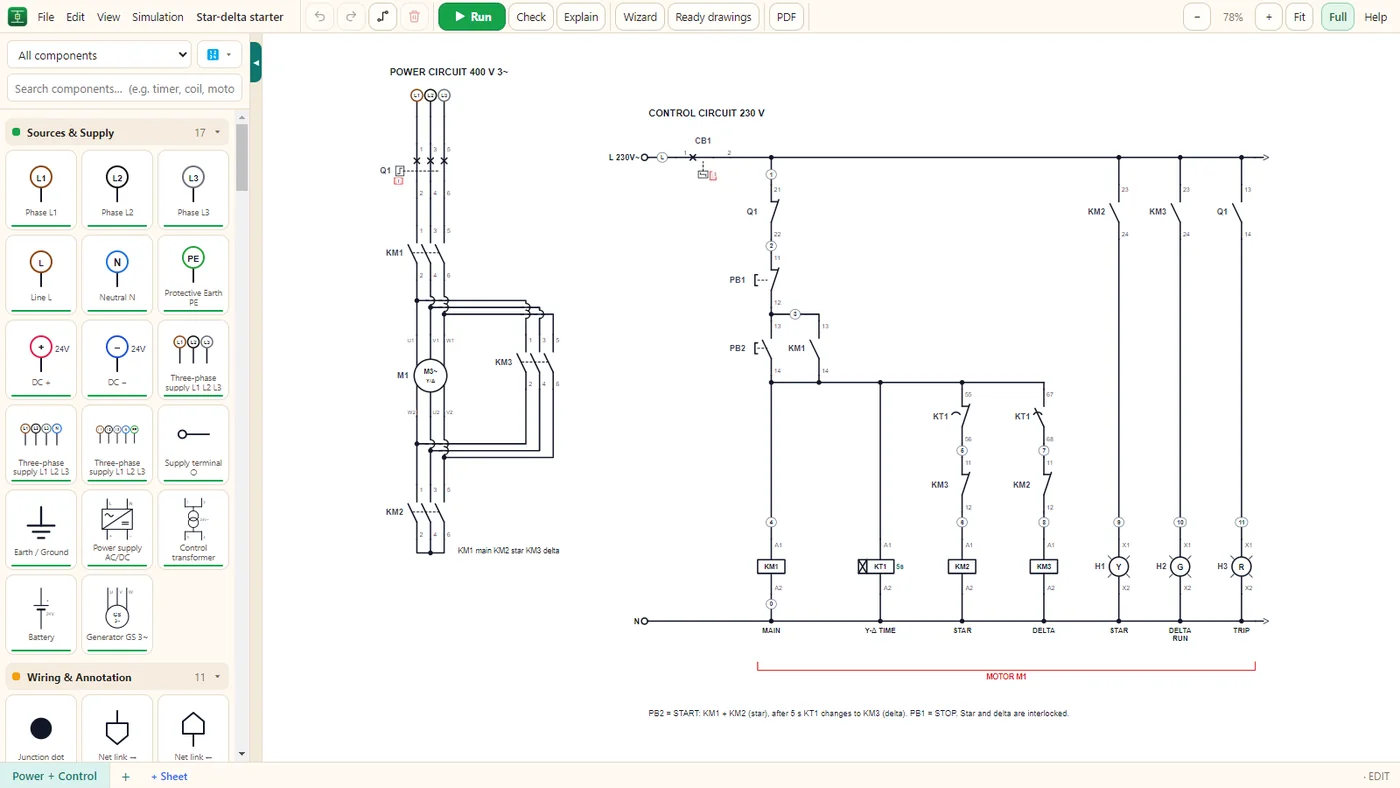
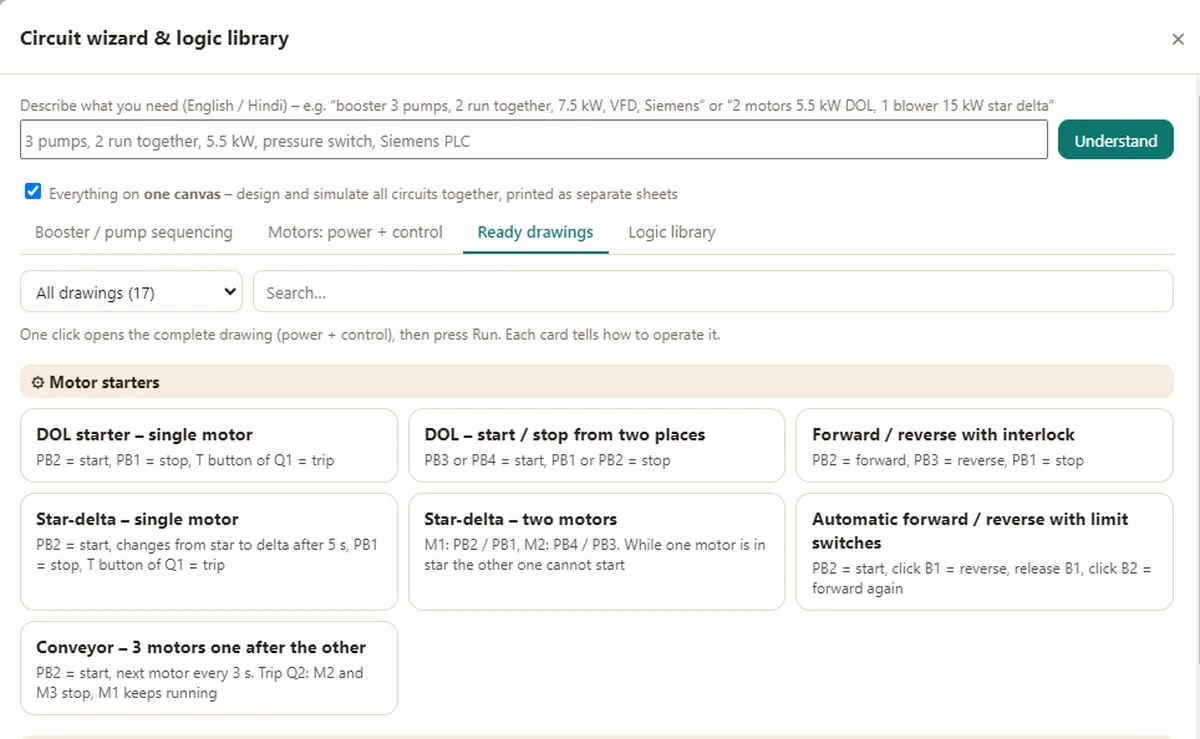
Free or Full — you choose
| What you get | FreeNo costFree forever | Full version ₹1,999 11% off |
|---|---|---|
| Draw and simulate circuits | Yes | Yes |
| Contactors, relays, breakers, buttons, lamps, motors | Yes | Yes |
| Open and run the 17 ready drawings | Yes | Yes |
| Devices on one sheet | 40, 1 sheet | No limit |
| Timers, counters, PLC, VFD, all sensors | – | Yes |
| Wizard, logic library, panel layout | – | Yes |
| PDF, print and export | – | Yes |
| Laptops | Any | 2 per key |
| Download free | Unlock full version |
Compare all features
| Feature | Free | Full version |
|---|---|---|
| Contactors, relays and their contacts | Yes | Yes |
| Motor protection breakers, MCBs, overload relays and fuses | Yes | Yes |
| Push buttons, emergency stop and switches | Yes | Yes |
| Lamps and motors | Yes | Yes |
| Limit switches and float switches | – | Yes |
| Supplies, terminals, texts and wire numbers | Yes | Yes |
| Automatic wiring | Yes | Yes |
| Simulation with sounds | – | Yes |
| Check: finds mistakes in the drawing | Yes | Yes |
| Explain: tells how the circuit works | Yes | Yes |
| Timing diagram on the screen | – | Yes |
| Open and run all ready drawings | Yes | Yes |
| Save and open your own projects | Yes | Yes |
| Unlimited sheets and devices (Free: 1 sheet, 40 devices) | – | Yes |
| Edit all ready drawings | – | Yes |
| All timers, counters, impulse relays and valves | – | Yes |
| All sensors, buttons, signals and breakers | – | Yes |
| PLC with ladder and structured text | – | Yes |
| PLC program export | – | Yes |
| Modbus TCP and Siemens S7 connection | – | Yes |
| VFD, star-delta, two speed and DC motors | – | Yes |
| Pneumatics with cylinders and valves | – | Yes |
| Wizard and "Describe what you need" | – | Yes |
| Logic library | – | Yes |
| PDF export and print | – | Yes |
| Picture, SVG and parts list export | – | Yes |
| Panel layout and 3D view | – | Yes |
| Timing diagram export | – | Yes |
Get the Full version in 3 steps
- DownloadInstall SimuDaily. It runs as the Free version, as long as you like.
- Pay onceLog in, press Unlock full version and pay. No subscription.
- Paste your keyThe key comes by email and stays in My account. Paste it in the app: Full opens at once.
Already bought it? Open My licenses
Install help and what is new
Install in four steps
- DownloadSave the ZIP file on your laptop.
- ExtractRight-click the ZIP and choose Extract All.
- InstallOpen SimuDaily Setup.exe and press Install.
- StartOpen SimuDaily. Without a key it runs as the Free version.
Windows shows a warning? The app does not have a paid security certificate yet, so Windows may ask before it opens the file. Download it only from fixitdaily.org and compare the check number below if you want to be sure.
Check number of the ZIP (SHA-256)
e7f40867da8e4d913ded86bacaa226bb7239d86c7afecc85bd7f31b5d46ee18eWhat is new
- Free and Full version in one program, with a one-time license key
- One clear bar with the important buttons and short menus
- Ready drawings and first steps are easy to find
- New filter: show free parts only
- Your old projects and settings keep working
Questions
Is it a one-time payment?
Yes. You pay once and use the Full version. There is no subscription.
Do I have to download it again after buying?
No. Free and Full are the same program. The key opens the Full version at once.
On how many laptops does one key work?
On two laptops. You can remove an old laptop in My account under My licenses.
Does it work without internet?
Yes. You need internet to activate. After that the app works offline and checks the license from time to time; connect it at least once in 60 days.
Where is my license key?
In the email after your payment and in My account under My licenses.
Do I need a new key for an update?
No. Install the new version over the old one. Your license, projects and settings stay.
More questions
Which Windows do I need?
64-bit Windows. It was tested on Windows 11. Windows 10 should work but was not tested.
Is the app made by Siemens or Schneider?
No. It is an independent app by FixIt Daily. Brand names belong to their owners.